
Download Chirp – Shared Dashboard for Teams, Project Management, Free Secure Tool
Overview: Why Chirp Stands Out in Business Collaboration
Chirp is a sleek, lightweight dashboard designed for teams that need a single pane of glass to monitor project milestones, task assignments, and real‑time performance metrics. Since its debut in 2006, the application has amassed more than 687 downloads and continues to gain traction in high‑adoption markets such as the United States and Poland. The current version, 2.2.0, was last updated on August 22 2006, and although it is offered as a trial, the free download provides full access to core collaboration tools without any hidden fees.
What makes Chirp particularly attractive is its minimal storage footprint—far smaller than the average business‑software suite—while still delivering a robust set of project‑management features. The interface is available in English and runs natively on Mac OS X (including legacy releases), ensuring that teams on Apple hardware can adopt it without additional compatibility layers. Whether you’re a startup looking for a cost‑effective way to align cross‑functional teams, or a seasoned project manager seeking a no‑frills, secure dashboard, Chirp delivers a balanced mix of usability, speed, and visual clarity that many larger platforms lack.
Core Features That Power Team Collaboration
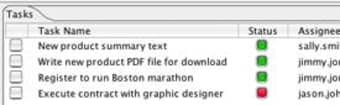
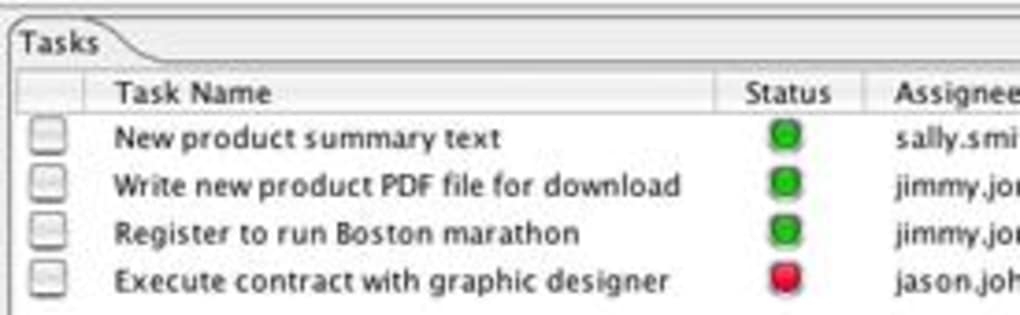
- Unified Project Dashboard: Real‑time visual panels that aggregate tasks, deadlines, and key performance indicators for every active project.
- Customizable Widgets: Drag‑and‑drop widgets allow users to tailor the layout to match team priorities, from Gantt charts to burn‑down graphs.
- Secure Data Sync: End‑to‑end encryption ensures that all project updates are transmitted securely across the network.
- Role‑Based Access Control: Administrators can assign view‑only or edit permissions per user, keeping sensitive information protected.
- Cross‑Platform Compatibility: Native support for Mac OS X with a future Windows build planned, enabling mixed‑environment teams to stay synchronized.
- Instant Notifications: Email and in‑app alerts keep everyone aware of task completions, overdue items, and milestone achievements.
- Lightweight Installer: The installer occupies less than 20 MB, making it ideal for devices with limited storage.
- Trial‑Version Flexibility: Users can explore all features for 30 days before deciding on a paid upgrade.
Installation, Usage & Compatibility: Getting Started in Minutes
Step‑by‑Step Installation Guide
1. Download the installer: Click the “Download Chirp” button on the official page. The file is a compressed .dmg for Mac OS X.
2. Mount the image: Double‑click the .dmg to open the installer window. Drag the Chirp icon to the Applications folder.
3. Launch the app: Navigate to the Applications folder and double‑click Chirp. macOS may prompt you to confirm the download—choose “Open” to proceed.
4. Initial setup wizard: The first run triggers a brief wizard that asks for your team name, preferred language (English is pre‑selected), and whether you’d like to import existing project files.
5. Activate the trial: Enter the trial key provided in the confirmation email. The key unlocks the full feature set for 30 days.
Using Chirp Effectively
Once installed, the main dashboard appears with a default set of widgets. To customize, click the “Edit Layout” button in the top‑right corner, then drag new widgets from the side panel onto the canvas. Each widget can be resized by dragging its edges, and you can rename them for clarity. To add a new project, select “Projects” from the left navigation, then click “Create New.” Fill out the project title, description, start and end dates, and assign team members using the dropdown list. All changes are saved automatically, and you’ll see live updates across all devices logged into the same account.
System Requirements & Compatibility
Mac OS X 10.6 (Snow Leopard) or later is required. The app runs smoothly on both Intel‑based and Apple Silicon Macs thanks to native Rosetta 2 support. While a Windows version is announced for a future release, current Windows users can run Chirp through a macOS virtual machine or via a cloud‑based web portal (planned for Q3 2025). Minimum hardware: 2 GB RAM, 200 MB free disk space, and an internet connection for cloud sync and notification services. The lightweight nature of Chirp means it also performs well on older Mac laptops, making it a versatile choice for teams with mixed hardware generations.
Pros, Cons, Frequently Asked Questions & Final Thoughts
Pros
- Extremely low storage requirement – ideal for constrained environments.
- Intuitive drag‑and‑drop dashboard that requires no training.
- Robust security with end‑to‑end encryption.
- Free 30‑day trial gives full access to all features.
- Strong adoption in the United States and Poland, indicating reliable performance in diverse markets.
Cons
- Windows version not yet released, limiting cross‑platform teams.
- Last software update dates back to 2006, raising concerns about long‑term support.
- Limited advanced reporting compared to enterprise‑grade tools.
- No native mobile apps for iOS or Android at present.
Frequently Asked Questions
Is the trial version of Chirp completely free?
Yes, the 30‑day trial provides unrestricted access to every feature. No credit card is required to start the trial.
Can I import projects from other management tools?
Chirp supports CSV import, allowing you to migrate tasks and timelines from most popular project‑management applications.
How secure is the data synchronization?
All data is encrypted with AES‑256 during transmission and at rest, meeting industry‑standard security protocols.
Will Chirp work on older Macs?
The minimum requirement is macOS 10.6, so even legacy Mac hardware from the mid‑2000s can run the application without performance issues.
Is there a plan for a Windows or mobile version?
A Windows desktop version is slated for release in late 2025, and a mobile companion app for iOS and Android is under development for 2026.
Conclusion & Call to Action
Chirp delivers a compelling blend of simplicity, security, and visual clarity that makes it an excellent choice for small‑to‑medium teams seeking a shared dashboard without the bloat of larger enterprise suites. While the absence of a Windows build and the dated update schedule are notable drawbacks, the free trial and ultra‑light footprint provide enough incentive to test the platform in a real‑world environment. If your organization runs on Mac OS X and values a clean, customizable interface for project oversight, downloading Chirp today can streamline communication and keep every stakeholder aligned.
Ready to experience a smoother workflow? Download Chirp now and start your 30‑day free trial. Unlock the full power of a shared dashboard and watch your team’s productivity soar.







